
 By
SteelSeries Rival Pro review: Rock solid connectivity, speed and a nifty battery system
Who knew UWB connectivity on a mouse could be so useful?
Sam Rutherford for Engadget
- UWB connectivity
- Super lightweight
- 42K sensor
- Nifty quick switch batteries
- 8K polling
- A bit pricey
- Scrolling isn’t as smooth as if could be
- A bit of a fingerprint magnet
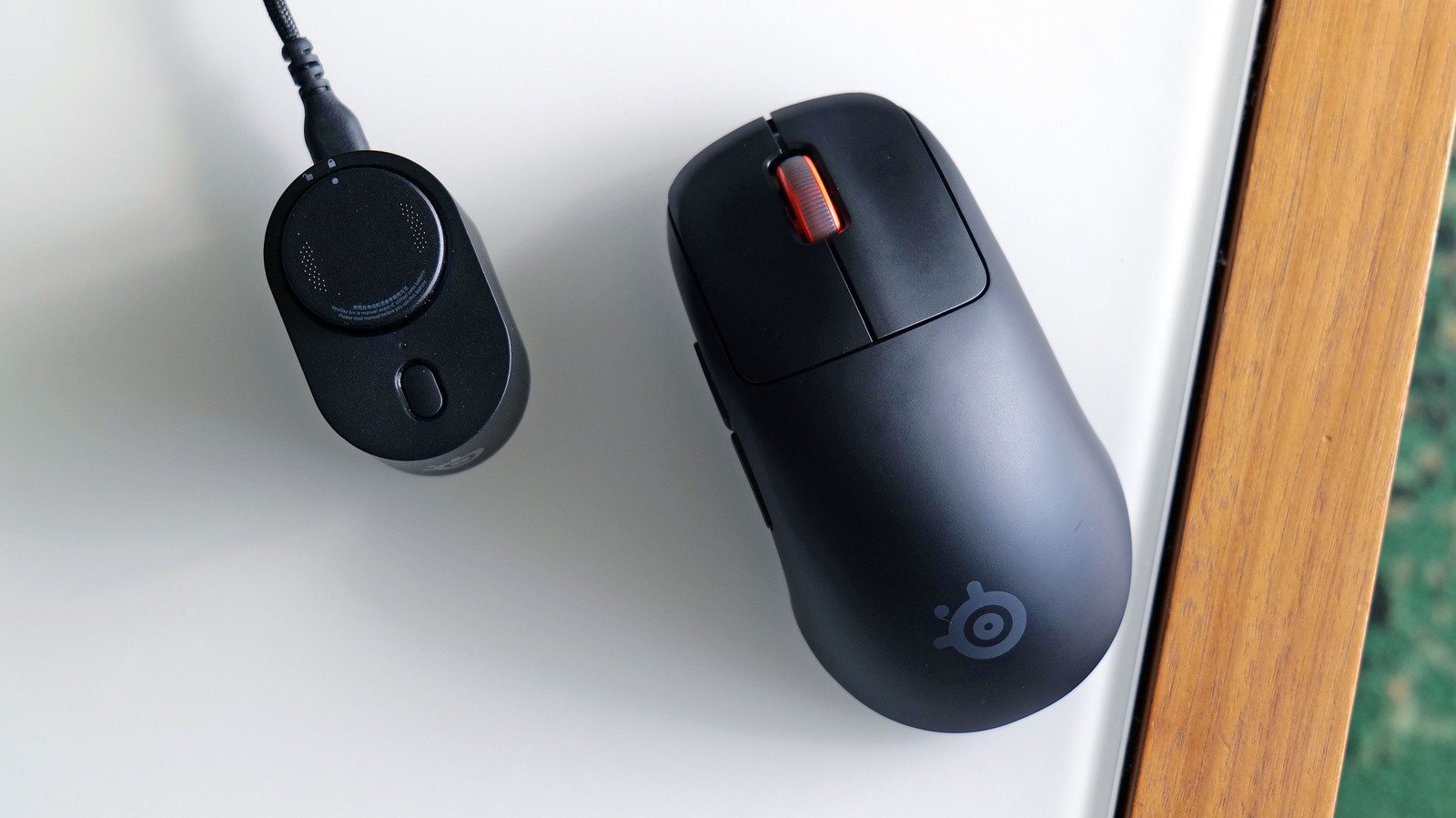
There was a time not long ago when competitive gamers shied away from wireless mice due to lackluster performance. And while that isn’t a huge problem anymore, there are still some issues that many cordless cursors suffer from. But with the Rival Pro, SteelSeries has created a high-end gaming mouse that delivers better responsiveness than pretty much all of its wired rivals. It also has effectively infinite battery life and a super light shell that weighs just 53 grams. Admittedly, priced at $180, it’s a bit on the expensive side, but for those who want the freedom of a wireless mouse without practically any of the downsides, the SteelSeries Rival Pro is unquestionably a top-notch gaming accessory.
Design
Sam Rutherford for Engadget
As someone who uses much larger and heavier productivity mice like the Logitech MX Master 4 (150 grams) most of the day, switching over to something like the Rival Pro feels kind of magical. It’s so light (53 grams) that sometimes it feels like there’s nothing inside. That said, if you’re truly trying to shave off every gram, there are even less bulky options like the HyperX Pulsefire Haste 3 Pro (47 grams) or the Corsair Sabre v2 Pro Ultralight (37 grams). But for me, this level of airiness is plenty.
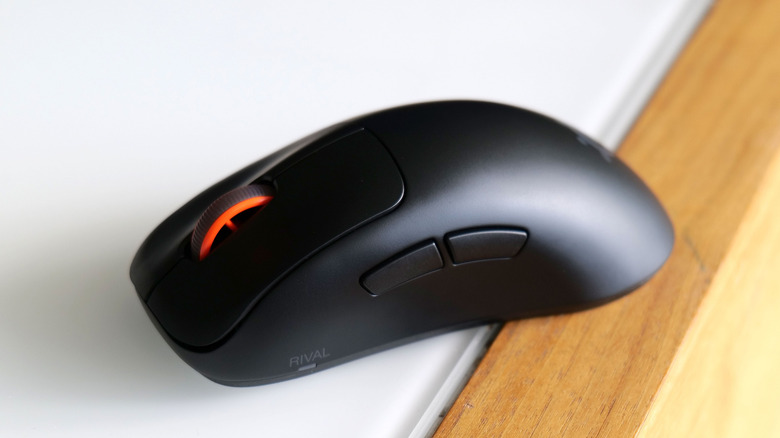
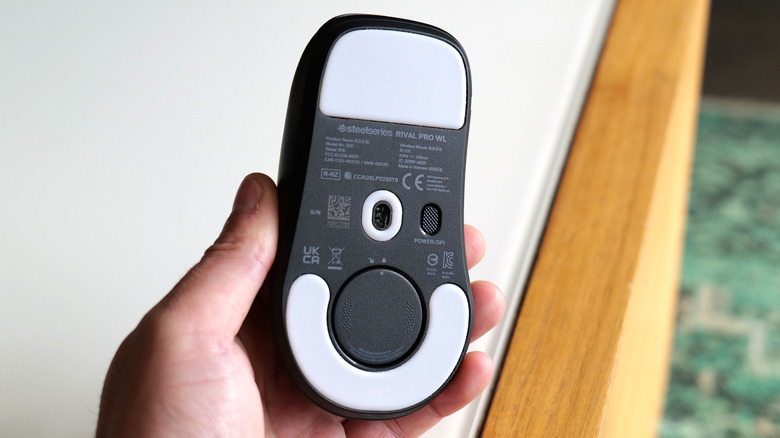
The rest of the mouse is pretty simple. It features a four-button layout with traditional left and right mouse clicks plus two additional programmable keys on the side and a gently curved shape that feels great for righties. That said, for lefties or people who want a symmetrical design, you can simply opt for the Sensei Pro instead. There’s even a mini model too, if that’s what you’re looking for. On the bottom, there are some large non-stick pads (100% PTFE) that make gliding across a variety of surfaces feel super slick and there’s a handy button for power/adjusting your DPI.
My one small gripe with the Rival Pro’s design is that its scroll wheel is just OK. It’s plenty smooth enough, and pressing in feels nice and clicky. Plus its actuation point is rather shallow, which is nice for fast-paced games like shooters. Unfortunately, that’s about it; there’s no free spin or infinite scrolling feature like you get on some of the competition. So while it’s more than enough for gaming, it’s not ideal for pulling double duty as a productivity companion. I also noticed that the Rival Pro tends to show fingerprints and grease just a bit more than other mice I own, but that’s nothing a quick wipedown can’t solve.
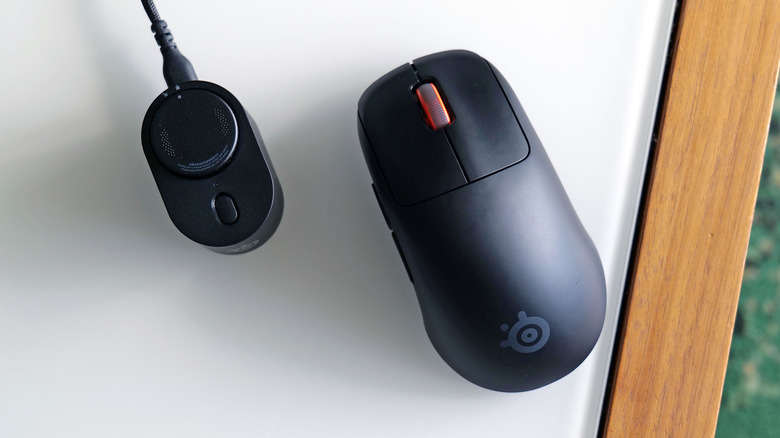
Of course, the mouse itself is merely one half of the Rival Pro’s kit. Inside the box, you also get a small wired base station that houses its ultra wideband (UWB) radio, instead of a tiny dongle or wireless receiver. This is what really differentiates SteelSeries’ flagship mouse from its competition, as the vast majority of wireless gadgets on sale today rely on 2.4GHz or 5GHz connectivity. Those bands can get pretty congested (I notice it most often when I have other electronics like my phone or a tablet sitting between my mouse and PC), which can make your mouse feel slow or sluggish even if it has a super fancy sensor.
However, by using UWB, Steelseries is able to sidestep a ton of traffic from nearby devices, resulting in a mouse that feels fast and snappy all the time. The main downside to UWB is that it doesn’t do quite as well when there are a lot of objects between the device and the transmitter. But for something like a mouse where the receiver sits nearby on a desk, that’s not really an issue (unless you are trying to game on the other side of the room). The final part of the equation is that SteelSeries’ base station also serves as a charger for the Rival Pro’s removable batteries, but we’ll get to that later.
Performance
Sam Rutherford for Engadget
So what is it like to game with the Rival Pro? In short, it’s excellent. SteelSeries’ TrueMove 42K Pro sensor is lighting fast and accurate, while also allowing you to easily tweak your DPI (all the way down to single digits for those with massive desk-sized mousepads). There’s even a Smart DPI setting that provides a more consistent experience when you’re browsing menus versus actually moving around in-game. And thanks to its 8K polling rate, tracking your cursor or crosshairs looks and feels incredibly smooth. Heck, you can even turn on a special 9K over-polling setting if you like, though I must admit I don’t think my gaming skills are good enough that I can actually discern a difference between 8K and 9K polling.
Elsewhere, the Rival Pro uses optical sensors for its left and right mouse buttons that deliver really snappy performance. However, that means you don’t get support for stuff like analog clicks or tunable actuation points. But those features are relatively new inclusions among gaming mice, so it’s hard to blame SteelSeries for not adding them here. Regardless, this mouse is totally overkill for slower-paced titles like World of Warcraft or Expedition 33. But for shooters, the Rival Pro is a dream. Its lightness makes it easy to flick from one target to another while its UWB connectivity means you never have to worry about lag, at least when it comes to your mouse movements (sluggish internet will still do you in).
Battery life and charging
Sam Rutherford for Engadget
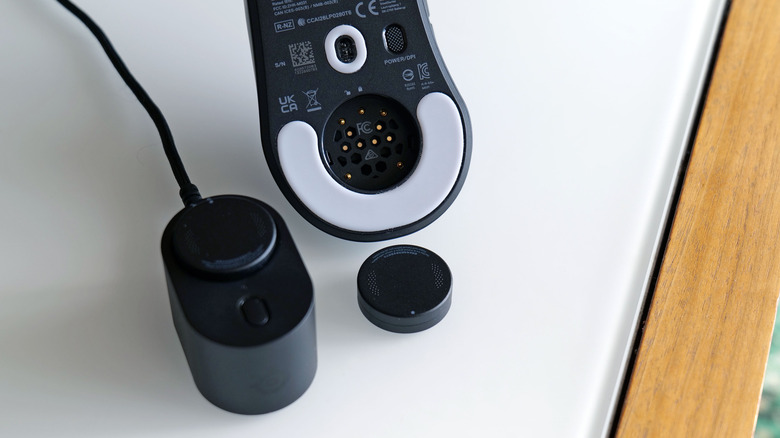
One of the other negatives about UWB is that it typically has a higher power draw than 2.4GHz or 5GHz devices. Steelseries has sidestepped that issue too thanks to its interchangeable battery system. Inside the box, the mouse comes with one disc-shaped battery pre-installed in the mouse and another that goes into the base station. This way, there’s always a battery being charged and ready to go. Swapping a battery takes just a few seconds — all you have to do is twist and pull. It’s that easy.
As for the battery itself, SteelSeries says one of those lasts around 16 hours on a charge when the mouse is set to its full 8K polling rate. And in my testing, that claim was spot on. However, if you want even better longevity, you can get up to 120 hours of runtime by reducing the polling rate to 1,000, which is more than enough for stuff like general productivity or doomscrolling. So while technically the mouse will be dead for a moment whenever you’re changing the battery, SteelSeries calls this the “Infinite Power System” because there’s always a spare in the base station. After testing it, I’d rather have this setup instead of something like a bulky mousepad with wireless charging support. The one caveat is that there isn’t a USB port on the mouse itself, so there’s no option to plug in a cable in emergencies.
Wrap-up
Sam Rutherford for Engadget
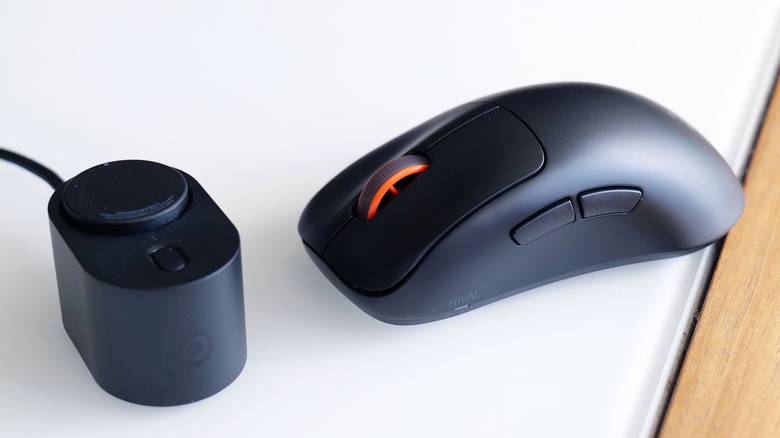
The SteelSeries Rival Pro exemplifies all the best qualities of a top-tier wireless gaming mouse while sidestepping the category’s most common pitfalls. It’s super light, it’s really responsive, it has an 8K polling rate and it doesn’t suffer from wireless congestion that can sometimes plague gadgets that rely on 2.4GHz or 5GHz connections. On top of that, its base station and two included batteries mean you’ll never be out of juice for more than a couple heartbeats even in the middle of a frantic firefight. Sure, it would be nice if there was a smooth scrolling option for its wheel or support for analog mouse clicks, but considering everything else it offers, those are far from dealbreakers. I also appreciate that alongside the standard SteelSeries GG desktop app, you have the option of adjusting your settings via a web portal too.
Really, the biggest hurdle shoppers need to clear when considering the Rival Pro is its price, which definitely ain’t cheap at $180. But unless you desperately want features like the custom actuation points you get on select competitors like the Logitech Pro X3 Superstrike, the Rival Pro has everything you need and more.
https://www.engadget.com/2311251/steelseries-rival-pro-review/